

Smart TV Technology Overview
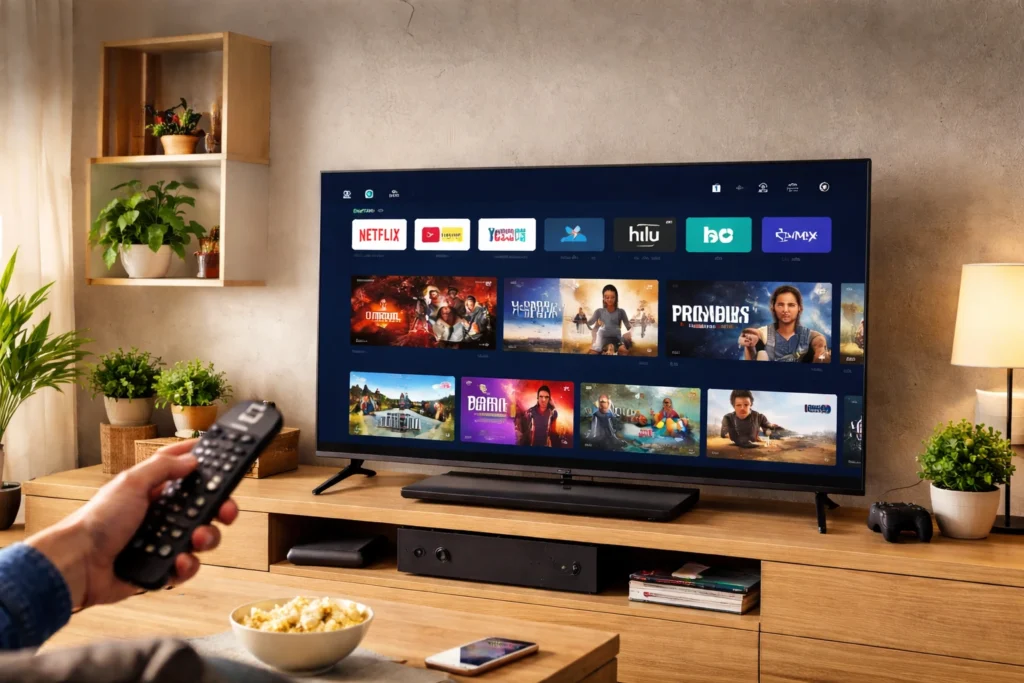
Smart TVs have transformed the way people watch television by combining traditional broadcasting with internet-based digital services. Instead of functioning only as a screen for cable or satellite channels, a smart TV works more like a connected entertainment hub. It integrates streaming platforms, apps, wireless connectivity, and advanced processing capabilities into a single device. This evolution allows viewers to watch movies on demand, browse online content, and even interact with other smart devices in their homes.
Modern smart TVs rely on built-in operating systems, cloud services, and internet connectivity to deliver personalized content experiences. Once connected to Wi-Fi or Ethernet, users can instantly access streaming platforms, download applications, and enjoy features like voice search or screen mirroring. In simple terms, a smart TV blends the functionality of a television, computer, and streaming device into one powerful entertainment system designed for modern digital lifestyles.
What Defines a Smart TV
A smart TV is essentially a television with integrated internet capabilities and built-in software that allows users to access online services without external devices. Unlike traditional televisions that depend solely on cable boxes or media players, smart TVs come with their own app ecosystem and user interface. This built-in intelligence enables viewers to stream movies, watch online videos, listen to music, and browse content directly from the television screen.
Another defining feature is the operating system that manages apps, settings, and connectivity. Popular platforms like Android TV, webOS, and Tizen allow manufacturers to deliver a consistent user experience while supporting thousands of apps. Smart TVs also support wireless technologies such as Wi-Fi, Bluetooth, and casting features, making it easy to connect smartphones, tablets, and other devices. These capabilities transform the television into a versatile multimedia center rather than a simple display.
Core Working Mechanism of Smart TVs
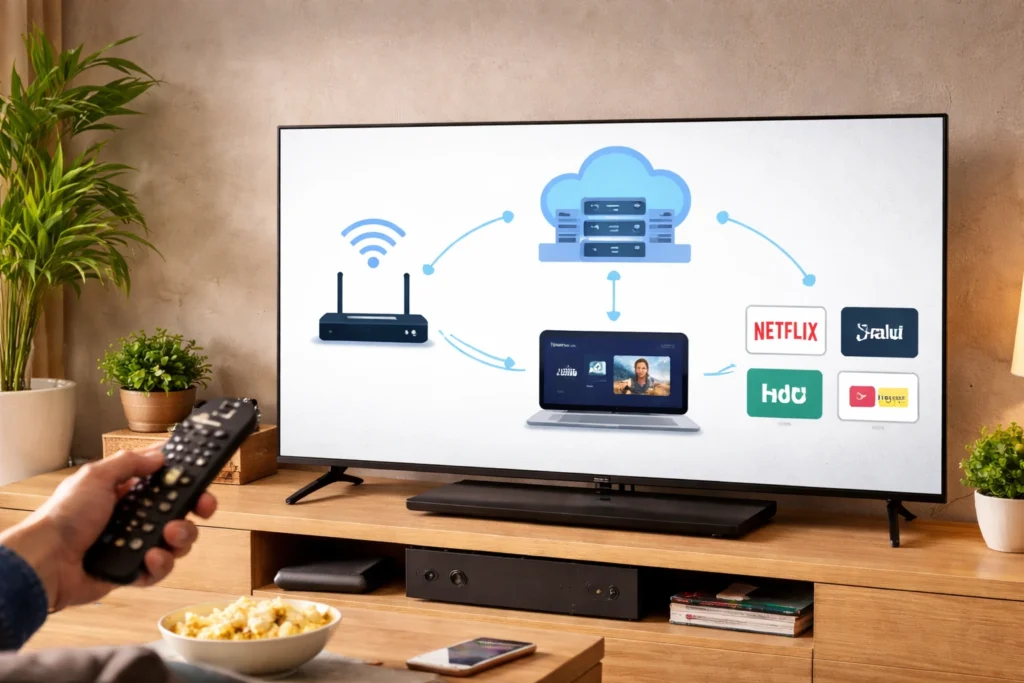
The core functionality of a smart TV is based on the integration of hardware components, specialized software, and internet connectivity. At the center of this system is a processor that manages tasks such as video decoding, app performance, and user interface operations. When a user opens a streaming app or searches for a video, the TV’s operating system communicates with online servers through the internet to retrieve and display the requested content.
Smart TVs use built-in applications and streaming protocols to deliver digital media directly to the screen. These applications interact with cloud platforms that host movies, TV shows, and other media libraries. Once the content is selected, the TV decodes the incoming data and renders it as high-quality video and audio output. This process happens almost instantly, creating a seamless entertainment experience similar to using a smartphone or computer.
👉 You might also like: How Printers Work: Inkjet vs Laser Explained (Simple Guide)
Smart TV System Architecture
The architecture of a smart TV is designed to combine hardware processing with a software ecosystem that manages digital content. At the hardware level, the system includes a processor, memory modules, networking components, and a display panel. These elements work together to ensure smooth video playback, quick app launches, and responsive navigation. The software layer sits on top of this hardware and controls everything from menu navigation to streaming services.
Most smart TVs also rely on cloud connectivity and remote servers to deliver updates, recommendations, and streaming content. This layered structure of hardware, operating system, and cloud integration creates a flexible framework that allows manufacturers to introduce new features over time. As a result, modern smart TVs continue evolving through software updates, adding improved performance, enhanced security, and new entertainment capabilities without requiring new hardware.
Smart TV Operating Systems
The operating system is the backbone of a smart TV because it manages apps, user interfaces, and device functionality. Just like smartphones rely on platforms such as Android or iOS, smart TVs use specialized operating systems designed for large screens and remote-based navigation. These systems organize the home screen, manage app installations, and ensure smooth communication between hardware components and online services.
A well-optimized operating system also improves performance and security. It controls how quickly apps launch, how efficiently video streams load, and how updates are delivered. In addition, the operating system determines which apps are available in the TV’s app store and how users interact with features like voice assistants, screen casting, and personalized recommendations. Choosing a TV with a reliable operating system ensures a better long-term viewing experience.
Major Smart TV OS Platforms
Several operating systems dominate the smart TV ecosystem, each offering a slightly different user experience. Android TV and Google TV provide access to a large library of apps through the Google Play ecosystem, making them popular among users who want maximum flexibility. Samsung televisions typically use Tizen OS, while LG models run webOS, both known for smooth interfaces and fast performance.
Roku TV is another widely used platform that focuses on simplicity and streaming convenience. These operating systems support major streaming services, voice search features, and frequent software updates. Although the interface design may vary, their core goal remains the same: providing a stable platform that connects users to digital entertainment quickly and effortlessly.
Internal Hardware Components
Inside every smart TV is a collection of hardware components that work together to deliver smooth performance and high-quality visuals. The most important element is the central processor, which handles video processing, app performance, and system operations. Alongside the processor, memory modules such as RAM and internal storage allow the television to run multiple apps and store downloaded content efficiently.
Networking hardware is another critical part of the system. Built-in Wi-Fi adapters, Ethernet ports, and Bluetooth modules allow the TV to connect with the internet and external devices. Display technologies such as LED, OLED, or QLED panels then convert digital signals into vibrant images on the screen. When combined, these components create a powerful multimedia device capable of streaming high-resolution content, running apps, and interacting with connected devices.
Essential Hardware Modules
The most essential hardware modules in a smart TV include the CPU, GPU, RAM, and network interface components. The CPU processes commands and manages system tasks, while the GPU focuses on rendering graphics and high-definition video playback. RAM allows apps and menus to run smoothly, reducing lag during navigation.
Another key module is the wireless communication unit that supports Wi-Fi and Bluetooth connectivity. This hardware enables streaming services, screen mirroring, and connections with external accessories such as wireless speakers or keyboards. Together, these modules ensure the television operates efficiently and delivers a smooth viewing experience.
Internet Connectivity Framework
Internet connectivity is the foundation that enables a smart TV to function as a digital entertainment platform. Without a stable connection, the television cannot access streaming services, download apps, or receive system updates. Most smart TVs include built-in wireless networking hardware that allows them to connect directly to a home Wi-Fi network. Some models also offer Ethernet ports for a wired connection, which can provide faster and more stable performance.
Once connected, the smart TV communicates with online servers to fetch streaming content, software updates, and app data. This connection allows viewers to watch movies, explore online video platforms, and access cloud-based services. Reliable internet connectivity ensures smooth video playback, minimal buffering, and faster loading times. For the best experience, many experts recommend using a stable broadband connection that supports high-definition or 4K streaming without interruptions.
Wi-Fi vs Wired Connectivity
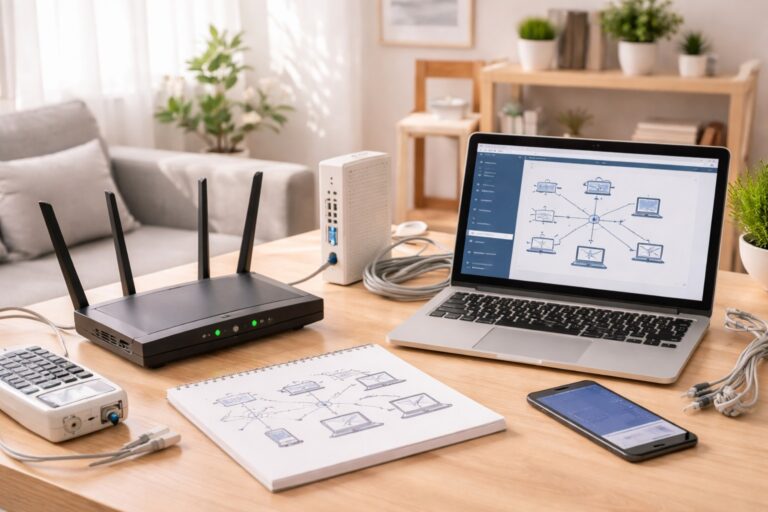
Smart TVs generally support two primary internet connection methods: Wi-Fi and Ethernet. Wi-Fi is the most common option because it allows the television to connect wirelessly to the home router without additional cables. This setup is convenient and flexible, especially for wall-mounted televisions or rooms where running cables is difficult. However, wireless performance may sometimes fluctuate depending on signal strength and network congestion.
Ethernet connections use a physical cable that links the TV directly to the router. This wired method typically provides faster and more consistent speeds, making it ideal for streaming 4K content or online gaming. While Wi-Fi offers convenience, Ethernet often delivers superior reliability and stability.
Streaming Apps & Content Platforms
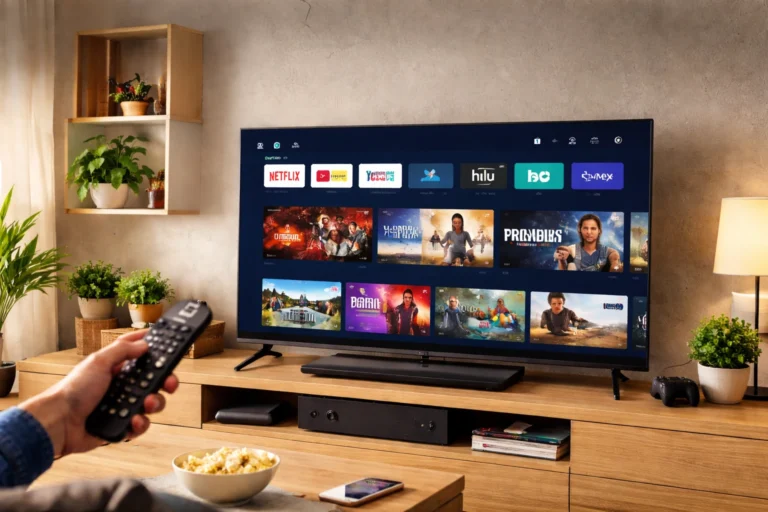
Streaming applications are one of the biggest reasons people choose smart TVs today. Instead of relying only on traditional cable channels, viewers can access a wide range of digital entertainment platforms directly from the television interface. These apps allow users to stream movies, television shows, documentaries, live sports, and online videos on demand. Popular platforms often provide personalized recommendations based on viewing habits.
Most smart TVs include built-in app stores where users can download additional streaming services or entertainment applications. Once installed, these apps operate similarly to mobile apps, requiring users to sign in with their accounts to access content libraries. This integrated ecosystem eliminates the need for external streaming devices and simplifies the entertainment experience. With a few clicks on the remote, viewers can instantly explore thousands of hours of content from multiple platforms.
Advanced Smart TV Features
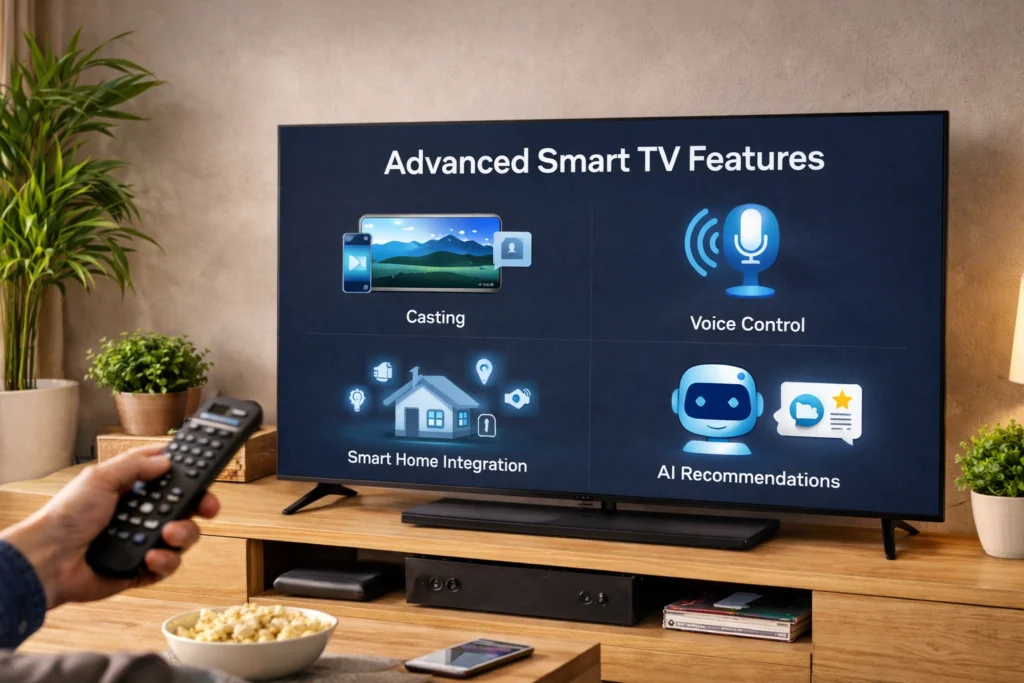
Modern smart TVs offer far more than basic streaming capabilities. Manufacturers continuously introduce advanced features that enhance convenience, usability, and integration with other digital devices. Voice control is one of the most popular innovations, allowing users to search for shows, adjust settings, or open apps simply by speaking into the remote control. Artificial intelligence also plays a growing role by analyzing viewing patterns and recommending relevant content.
Another advanced feature is device connectivity. Many smart TVs can connect seamlessly with smartphones, tablets, and laptops, enabling users to display photos, presentations, or videos directly on the large screen. Some models also support smart home integration, allowing users to control lights, cameras, or other connected devices from the television interface. These features transform the TV into a central hub within the modern smart home environment.
👉 You might also like: Transform Your Home: Expert Paint Color Ideas
Smart TV Advantages
Smart TVs provide several advantages that make them more versatile than traditional televisions. One major benefit is direct access to streaming platforms without the need for additional hardware. Users can instantly watch on-demand content, explore global media libraries, and enjoy personalized recommendations. This convenience simplifies the entertainment setup and reduces reliance on external devices such as streaming sticks or cable boxes.
Another advantage is the integration of multiple digital features into a single device. Smart TVs often include web browsing, voice assistants, gaming capabilities, and screen casting functions. Regular software updates can also introduce new features and security improvements over time. Because of these capabilities, smart TVs deliver a more flexible and interactive viewing experience that adapts to modern digital habits.
Initial Smart TV Configuration
The initial configuration process begins when the smart TV is turned on for the first time. Most modern televisions guide users through a simple step-by-step setup wizard that appears on the screen. This wizard helps configure language preferences, region settings, and network connections. By following these instructions, users can quickly prepare the device for streaming and app usage.
During this stage, the TV may also check for available software updates to ensure the system runs on the latest firmware version. Installing updates early improves performance and security. Once the configuration is complete, the television typically displays the main home interface, where users can begin exploring apps, adjusting picture settings, and customizing their viewing experience.
First-Time Setup Process
The first-time setup process usually starts with selecting the preferred language and connecting the television to the internet. After establishing the network connection, users may be asked to sign in with the manufacturer’s account or create a new one. This account allows access to the app store and cloud-based services.
Next, the TV may prompt users to scan for available channels or connect external devices such as streaming boxes or gaming consoles. Once these steps are completed, the system finalizes the setup and loads the home dashboard, where entertainment apps and settings are easily accessible.
App Installation & Management
Smart TVs allow users to install and manage apps through a built-in digital store, similar to app marketplaces on smartphones. From the TV’s main interface, users can browse categories such as entertainment, music, sports, or education. Once a desired application is selected, it can be downloaded and installed within seconds. After installation, the app appears on the home screen for quick access.
Managing apps is also straightforward. Users can update applications, rearrange their positions on the home interface, or remove unused apps to free storage space. Some televisions automatically update installed apps to ensure compatibility and security. By organizing applications efficiently, viewers can maintain a clean interface and quickly access their favorite entertainment services.
Common Connectivity Issues
Sometimes users may experience connectivity problems when setting up or using a smart TV. A common issue is weak Wi-Fi signals, which can cause buffering or slow app loading times. This often happens when the router is located far from the television or when multiple devices are using the same network simultaneously. Restarting the router or moving it closer to the TV can improve signal strength.
Another frequent problem is incorrect network settings or outdated software. If the television fails to connect to the internet, checking the password, resetting the network configuration, or updating the system software can often resolve the issue. Simple troubleshooting steps usually restore connectivity quickly.
Smart TV Setup Troubleshooting
Even though most smart TVs are designed to be easy to configure, users sometimes encounter minor setup issues. These problems can include internet connection failures, apps not loading correctly, or slow system performance. Fortunately, most of these issues are easy to resolve with a few basic troubleshooting steps. Checking cables, verifying network settings, and restarting the device can often solve common problems within minutes.
Another effective step is ensuring the television’s software is updated to the latest version. Outdated firmware can sometimes cause compatibility issues with apps or network services. Resetting the TV’s network settings or performing a quick system reboot may also help restore normal functionality. With proper troubleshooting, users can quickly get their smart TV running smoothly and enjoy uninterrupted access to digital entertainment.
Common Connectivity Issues
Connectivity issues are among the most common problems users experience when setting up a smart TV. Weak Wi-Fi signals, incorrect network passwords, or router configuration problems can prevent the television from establishing a stable internet connection. If streaming apps frequently buffer or fail to load, the network signal strength should be checked first. Moving the router closer to the TV or reducing interference from other devices can significantly improve performance.
Sometimes the issue may be related to outdated network settings stored in the television. Restarting both the router and the TV often refreshes the connection and resolves the problem. Ensuring that the network firmware and smart TV software are updated can also help prevent recurring connectivity issues.
Optimizing Picture and Display Settings
Once the smart TV is successfully installed, adjusting the picture and display settings can significantly improve the viewing experience. Most modern televisions include multiple picture modes such as Standard, Cinema, Sports, or Game Mode. Each mode adjusts brightness, contrast, color balance, and motion settings to match specific types of content. Selecting the right mode ensures that movies look cinematic, sports appear smooth, and games display minimal input lag.
Users can also manually fine-tune settings like brightness, sharpness, and color temperature to suit their room lighting conditions. For example, brighter settings may work better in well-lit rooms, while warmer color tones often create a more comfortable experience for nighttime viewing. Proper display calibration helps the TV deliver accurate colors and clearer visuals for all types of content.
Optimizing Sound Settings
Audio quality plays a major role in creating an immersive entertainment experience. While many smart TVs include built-in speakers, adjusting the sound settings can make a noticeable difference. Most televisions provide sound modes such as Standard, Cinema, Music, or Dialogue Enhancement. These modes optimize the audio output depending on the type of content being played.
Users can also adjust equalizer settings to control bass, treble, and balance levels for clearer sound. For larger rooms or home theater setups, connecting external audio systems such as soundbars or surround speakers can significantly improve sound performance. Proper sound configuration ensures dialogue is clear, background music is balanced, and action scenes feel more engaging.
Connecting External Devices to a Smart TV
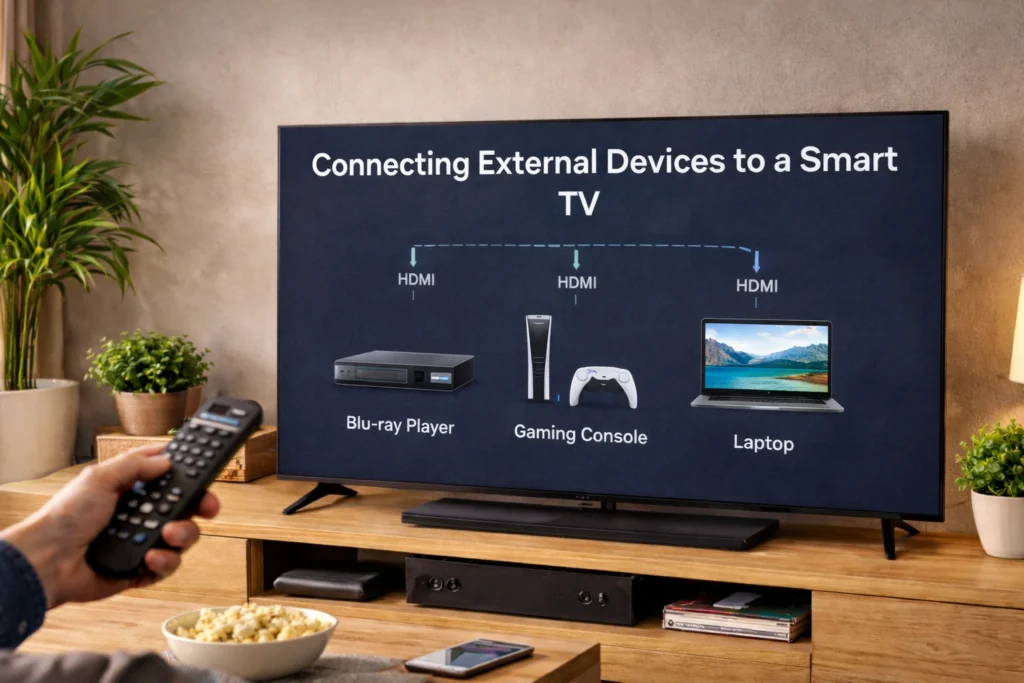
Smart TVs are designed to work seamlessly with a variety of external devices that expand their functionality. HDMI ports allow users to connect gaming consoles, Blu-ray players, streaming devices, or laptops. Once connected, the television automatically detects these devices and allows users to switch between them using the input menu. This flexibility turns the TV into a central display for multiple entertainment sources.
In addition to HDMI connections, many smart TVs support Bluetooth or USB connections for accessories such as wireless headphones, keyboards, and storage drives. These connections make it easier to control the television or play local media files. By integrating multiple devices into one screen, the smart TV becomes a versatile hub for home entertainment.
Connecting Smartphones and Mobile Devices
Smart TVs often include features that allow smartphones and tablets to connect directly to the television. Technologies such as screen mirroring and casting enable users to display mobile content on a larger screen. This makes it easy to share photos, stream videos, or present documents during meetings or family gatherings.
Most modern televisions support wireless casting protocols that work with both Android and iOS devices. Once the feature is activated, the smartphone detects the TV as a compatible display and sends media content wirelessly. This seamless connection eliminates the need for cables and allows users to enjoy mobile content in a more immersive format on the television screen.
Smart TV Privacy and Security Settings
Because smart TVs are connected to the internet, privacy and security settings are important considerations. Many televisions collect basic usage data to improve recommendations and system performance. Users can usually manage these data-sharing preferences within the privacy section of the settings menu. Adjusting these options allows individuals to control how much information is shared with manufacturers or streaming platforms.
Another important step is securing the home network and using strong passwords for streaming accounts. Keeping the TV’s software updated also helps protect against potential security risks. By reviewing privacy settings and maintaining proper network security, users can enjoy the benefits of a smart TV while protecting their personal data.
Tips to Improve Smart TV Performance
Over time, smart TVs may experience slower performance if too many apps are installed or if the system storage becomes full. Removing unused apps and clearing temporary data can help improve responsiveness. Restarting the television occasionally also refreshes system processes and prevents minor software glitches from affecting performance.
Another useful tip is ensuring the TV remains connected to a stable and high-speed internet connection. Streaming high-resolution content such as 4K video requires strong bandwidth to avoid buffering. Keeping the device updated and maintaining an organized app interface can significantly enhance overall performance and provide a smoother entertainment experience.
The Future of Smart TV Technology
Smart TV technology continues to evolve as manufacturers integrate more advanced capabilities into modern displays. Artificial intelligence is becoming increasingly important, enabling televisions to analyze viewing habits and provide highly personalized content recommendations. Voice assistants and smart home integration are also expanding, allowing users to control lighting, security systems, and other connected devices directly from their TV screens.
Display technologies are advancing as well, with innovations in OLED, QLED, and Mini-LED panels delivering brighter colors, deeper contrast, and improved energy efficiency. As internet speeds continue to improve and cloud services expand, smart TVs will likely become even more powerful digital hubs, combining entertainment, communication, and smart home control in a single device.
Conclusion
Smart TVs have completely transformed the modern entertainment experience by merging traditional television with internet connectivity and powerful software platforms. From streaming movies and installing apps to connecting smartphones and smart home devices, these televisions provide far more functionality than earlier generations of displays. Their ability to integrate multiple digital services into a single device makes them one of the most convenient technologies in today’s connected homes.
Setting up a smart TV is usually a straightforward process that involves connecting to the internet, installing apps, and adjusting basic settings. With proper configuration and occasional updates, users can enjoy a reliable and immersive entertainment system for years. As technology continues to advance, smart TVs will likely play an even bigger role in shaping how people interact with digital media in their daily lives.
✨ Got value? Let’s keep the momentum, follow Dympigal