


Best Free Screen Recording Software 2026 – HD, No Watermark
Introduction
Screen recording software has become an essential tool in today’s digital world. Whether you are creating tutorials, recording gameplay, delivering online classes, or documenting software issues, having reliable screen recording software makes your workflow easier and more professional. The demand for free screen recording tools has increased because creators, educators, startups, and remote teams want powerful solutions without spending money upfront. In this guide, we will explore the top free screen recording software options, key features, use cases, comparisons, and practical tips to help you choose the right tool based on your needs.
Why Use Free Screen Recorders
Free screen recorders offer incredible value, especially for beginners and small teams who want quality results without investing in premium software. Many modern free tools provide HD recording, system audio capture, webcam overlay, and even built-in editing features. They are perfect for testing ideas, launching YouTube channels, hosting online workshops, or recording presentations. Instead of paying for monthly subscriptions immediately, users can evaluate performance and features first. With the right free screen recorder, you can produce professional-looking videos while keeping costs low and flexibility high.
Essential Features to Consider
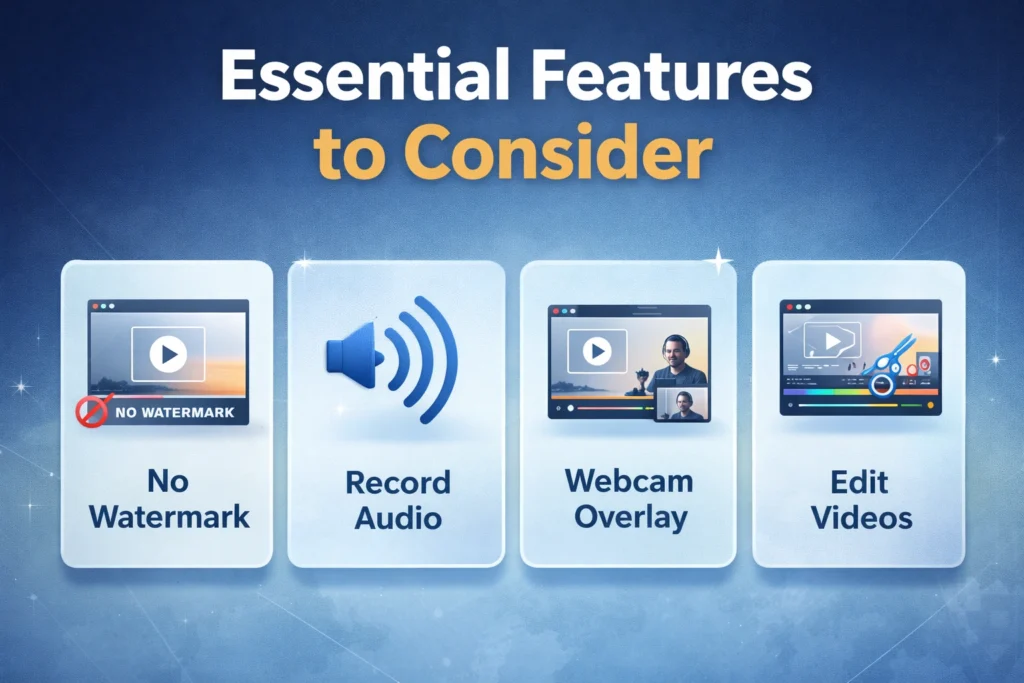
Choosing the best free screen recording software requires understanding the features that truly matter. Not all tools are created equal. Some focus on gaming performance, others on collaboration or quick sharing. You should evaluate video quality settings, audio recording options, export formats, editing tools, watermark limitations, and performance impact on your system. Compatibility with Windows, Mac, or Linux also plays a major role. A well-balanced tool should offer smooth recording, minimal lag, and simple controls while still providing enough flexibility for both beginners and advanced users.
👉 You might also like: Novapg: Smart Project Management with AI & Automation
Video Quality Options
High-quality video output is critical for professional results. Look for screen recorders that support at least 1080p resolution and adjustable frame rates such as 30fps or 60fps. Bitrate control and format options like MP4 or MOV also matter. Better quality settings ensure your tutorials, gameplay videos, and presentations look sharp and clear across platforms.
Audio Recording Support
Audio clarity is just as important as video quality. The best free screen recording software should allow you to capture system audio, microphone input, or both simultaneously. Noise reduction features, echo control, and adjustable volume levels enhance the final output. Clear audio improves engagement and keeps your audience focused.
Editing & Export Tools
Basic editing tools save time after recording. Features like trimming, cutting, adding captions, or simple annotations help polish your content quickly. Flexible export options such as MP4, AVI, or direct cloud uploads streamline sharing. Even free tools with minimal editing features can significantly improve workflow efficiency.
Best Free Screen Recorders for Windows
Windows users have access to a wide range of powerful free screen recording software. From open-source solutions to built-in system tools, there are options for every use case. Many Windows screen recorders support high-resolution capture, customizable recording areas, and advanced audio control. Gamers, educators, and business professionals can all find suitable tools tailored to their needs. Performance optimization is particularly important on Windows devices, so selecting software that runs smoothly without excessive CPU usage ensures stable, lag-free recordings even during intensive tasks.
Best Free Screen Recorders for Mac
Mac users benefit from both built-in and third-party free screen recording tools. Modern macOS systems include native screen capture features, but advanced users may require more customization and export flexibility. Free screen recorders for Mac often emphasize user-friendly interfaces, smooth performance, and seamless integration with creative workflows. Whether you’re recording product demos, online meetings, or YouTube content, the ideal Mac screen recorder should balance quality, efficiency, and ease of use without adding watermarks or time restrictions.
Best Free Screen Recorders for Linux
Linux users often prefer open-source screen recording software that offers transparency and flexibility. Many Linux-compatible tools focus on lightweight performance and community-driven development. These recorders are ideal for developers, educators, and tech professionals who need customization options. While Linux screen recorders may have fewer graphical enhancements compared to Windows or Mac alternatives, they often provide powerful configuration settings. Choosing a stable and actively maintained tool ensures consistent performance and compatibility across different Linux distributions.
Free Screen Recorders Without Watermark
One of the biggest concerns users have when choosing free screen recording software is watermark restrictions. Many free tools place branding on exported videos, which can reduce professionalism. Fortunately, several high-quality free screen recorders offer watermark-free recording, allowing creators to publish clean, polished content. These tools are ideal for YouTube videos, client presentations, product demos, and online courses. When selecting a no-watermark option, also check for export limits, resolution caps, and recording duration restrictions to ensure the tool truly meets your long-term content creation needs.
Screen Recorders for YouTube
Creating YouTube content requires more than basic screen capture. You need high resolution, stable frame rates, system audio capture, and webcam overlay features. The best free screen recording software for YouTube supports 1080p or higher resolution, smooth 60fps recording, and flexible export formats optimized for online uploads. Content creators also benefit from lightweight editing tools that allow trimming and annotations. Whether you are producing tutorials, reviews, reaction videos, or software walkthroughs, choosing a screen recorder optimized for content creation improves video clarity and audience engagement significantly.
Screen Recorders for Online Teaching
Online educators rely heavily on screen recording tools to deliver engaging lessons. A reliable free screen recorder should allow you to capture slides, whiteboard sessions, and live demonstrations with synchronized audio. Webcam integration is especially useful for adding a personal touch to recorded lessons. Clear audio recording and simple editing features help maintain student focus. For teachers hosting virtual classes or selling online courses, selecting stable software with minimal lag ensures smooth delivery and enhances overall learning experiences for students.
Screen Recorders for Gaming
Gaming screen recording demands higher performance standards compared to regular screen capture. The best free tools for gamers support high frame rates, low-latency recording, and hardware acceleration. Capturing system audio and microphone commentary simultaneously is essential for gameplay videos and streaming highlights. Performance optimization is critical to avoid lag or dropped frames during intense gaming sessions. A well-optimized screen recorder ensures smooth gameplay capture without negatively affecting system performance, making it easier to create professional-quality gaming content.
Browser-Based Screen Recorders
Browser-based screen recorders are ideal for users who prefer not to install additional software. These tools operate directly through web browsers and often provide instant recording and sharing options. They are perfect for quick tutorials, bug reports, and short demonstrations. While browser recorders may offer fewer advanced features compared to desktop applications, they provide convenience and accessibility. For remote teams and customer support professionals, browser-based recording tools simplify collaboration and speed up communication without complex setup requirements.
Open-Source Screen Recorders

Open-source screen recording software appeals to users who value transparency, customization, and community-driven improvements. These tools are often free, highly configurable, and supported by active developer communities. Open-source recorders are popular among developers, educators, and tech professionals who require flexible recording options. While the interface may sometimes feel less polished compared to commercial tools, open-source software frequently offers powerful performance and advanced configuration settings. Choosing an actively maintained open-source recorder ensures stability, security, and ongoing feature updates.
👉 You might also like: DIY Home Improvement Projects for Beginners
Feature Comparison
Comparing free screen recording software helps users make informed decisions based on their priorities. Important comparison factors include video resolution, frame rate options, watermark presence, recording time limits, editing capabilities, and export formats. Some tools prioritize performance for gaming, while others focus on collaboration and quick sharing. Understanding these differences allows you to select the best tool for your specific use case. A structured feature comparison ensures you avoid unnecessary limitations and choose software that aligns with your content goals.
Pros and Cons
Free screen recording software offers impressive capabilities, but it is important to understand both strengths and limitations. While many tools provide high-quality recording and flexible export options, certain restrictions may apply. Evaluating pros and cons helps users manage expectations and choose the right solution. Free software can be highly effective for beginners and small projects, but advanced users may eventually require premium features. A balanced understanding ensures you select the most practical and efficient recording solution.
Key Advantages
Free screen recorders eliminate upfront costs while still delivering essential recording features. Many tools support HD capture, system audio recording, and webcam integration. They are easy to install and often beginner-friendly. For content creators testing new ideas, free solutions provide flexibility and accessibility without financial commitment.
Common Limitations
Despite their benefits, free screen recording tools may include restrictions such as limited editing options, recording duration caps, or fewer export formats. Some may lack advanced performance optimization. Understanding these limitations helps users avoid frustration and choose software that fits their specific requirements.
How to Record Your Screen
Recording your screen is a straightforward process when using reliable free screen recording software. First, install or open your chosen tool and select the recording area, whether full screen, a specific window, or a custom region. Next, configure audio settings to capture system sound, microphone input, or both. Adjust resolution and frame rate based on your project requirements. Once settings are finalized, click record and perform your demonstration. After finishing, stop the recording, preview the video, and export it in your preferred format for sharing or editing.
Performance Optimization Tips
To achieve smooth and professional screen recordings, optimizing your system performance is essential. Close unnecessary background applications to reduce CPU usage and prevent lag. Lower the recording resolution or frame rate if your computer struggles during capture. Using hardware acceleration, when available, significantly improves recording stability. Additionally, ensure your graphics drivers and operating system are up to date. Recording on an SSD instead of an HDD can also improve processing speed. Small adjustments in settings often make a noticeable difference in overall recording quality.
Troubleshooting Issues
Even the best free screen recording software may occasionally encounter technical issues. Common problems include audio desynchronization, lagging video, black screens, or failed exports. Most of these issues can be resolved by adjusting recording settings, updating drivers, or granting necessary screen and microphone permissions. Restarting the software or system may also resolve temporary glitches. Testing short recordings before starting a long session helps identify potential issues early. Proactive troubleshooting ensures smoother recording sessions and prevents losing valuable content.
Free vs Paid Comparison
While free screen recorders provide excellent functionality, paid versions often include advanced features that benefit professional users. Premium tools may offer unlimited recording time, 4K resolution support, advanced editing suites, cloud storage, and priority technical support. Free versions are ideal for beginners, students, and small projects. However, businesses and full-time content creators may require additional flexibility and scalability. Comparing both options helps you determine whether upgrading is necessary based on your long-term content production goals and workflow requirements.
Conclusion
Selecting the best free screen recording software depends on your goals, technical requirements, and workflow preferences. Whether you are a YouTube creator, online educator, gamer, or business professional, there are reliable free tools available to meet your needs. Focus on video quality, audio clarity, system performance, and export flexibility when making your decision. While free tools are highly capable, upgrading to premium versions may provide added value as your content grows. By choosing wisely, you can create professional screen recordings without exceeding your budget.
FAQs
Which free screen recorder is best without a time limit?
OBS Studio and ShareX allow unlimited recording without adding a watermark.
Can I record system audio for free?
Yes, most free tools like OBS Studio and ScreenRec capture system audio easily.
Do free screen recorders work on Mac?
Yes, QuickTime Player and other free apps support Mac fully.
Can I record webcam along with the screen?
Most free tools allow webcam overlay while capturing your screen.
Are browser-based recorders reliable?
Yes, they are great for short recordings and quick sharing.
✨ Got value? Let’s keep the momentum, follow Dympigal